
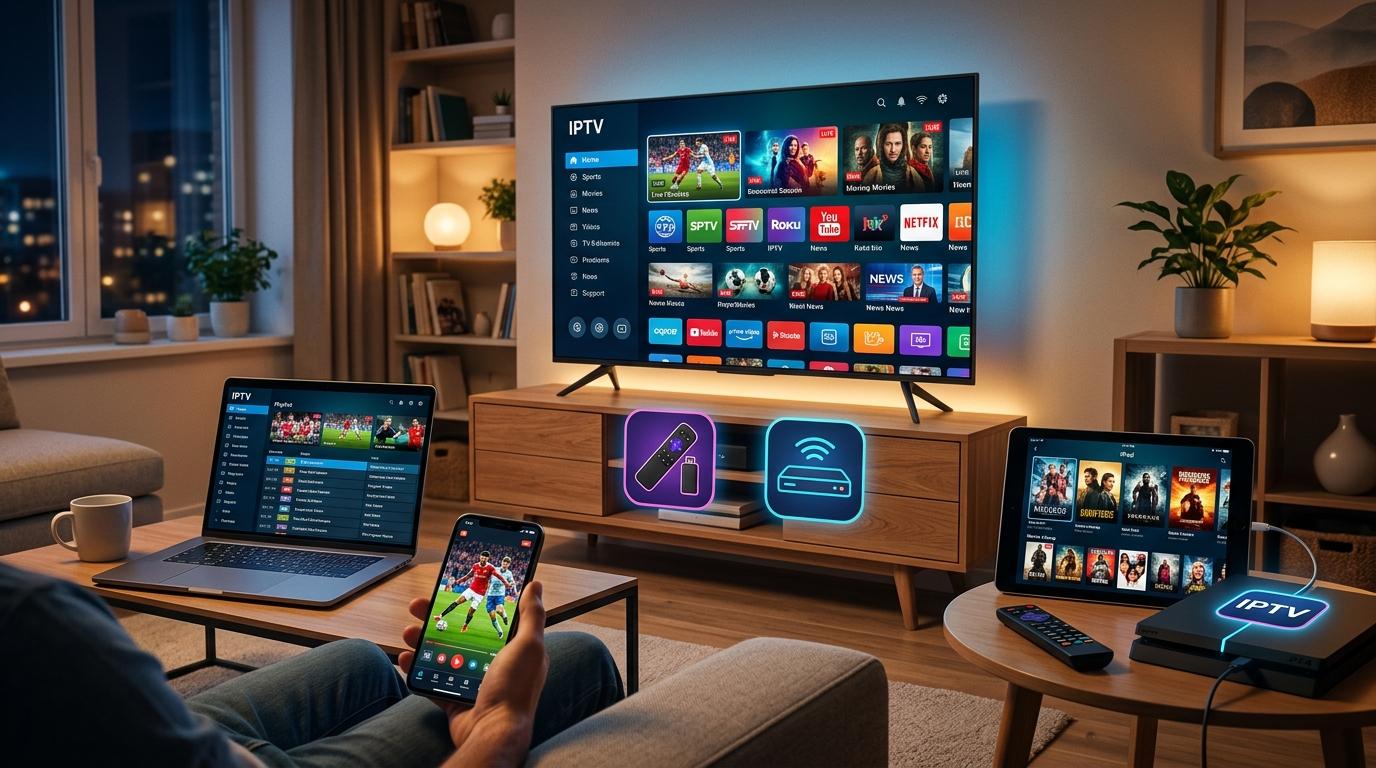
Television viewing has changed significantly in recent years. Instead of depending entirely on traditional cable or satellite connections, many households now use internet-connected devices to access television programming. IPTV, or Internet Protocol Television, is one approach that can provide access to supported live TV and, depending on the provider, features such as catch-up, replay, and on-demand content.
One of the biggest advantages of IPTV is device flexibility. Depending on the service, viewers may be able to watch television on a Smart TV, streaming device, dedicated IPTV box, smartphone, tablet, computer, or other compatible hardware.
For families searching for Indian IPTV USA services, device compatibility is particularly important. A household might have a Smart TV in the living room, an IPTV box for grandparents, smartphones for parents, and tablets or computers for other family members.
But which device is right for you?
This guide explores the most common devices used for IPTV at home and explains what viewers should consider before choosing a setup.
What Is IPTV?
IPTV stands for Internet Protocol Television. It refers to television programming delivered through IP-based networks.
Depending on the provider, IPTV can offer different types of content, including:
- Live television
- Indian entertainment
- Regional Indian channels
- News
- Sports
- Movies
- Catch-up programming
- Replay features
- On-demand content
The exact channels and features vary between providers.
Unlike traditional cable television, IPTV generally requires a compatible internet-connected device. That's why understanding device compatibility is an important part of choosing a service.
Why Does the Device Matter for IPTV?
Your television service may be excellent, but the device you use can influence how convenient the experience feels.
A good IPTV device should ideally provide:
- Reliable internet connectivity
- Easy navigation
- Good video quality
- Compatibility with the IPTV application
- Support for your preferred resolution
- Convenient remote control options
Different household members may also prefer different devices.
For example, a grandparent may prefer a traditional remote-controlled television experience, while a younger viewer may prefer using a smartphone.
1. Smart TVs
A Smart TV is one of the simplest options for watching IPTV at home.
Modern Smart TVs typically connect directly to the internet and can support applications designed for television viewing.
Depending on the IPTV provider, the service may be available through a compatible Smart TV application.
Popular Smart TV platforms can include different operating systems and app ecosystems, so compatibility should always be checked with the provider.
Advantages of Smart TVs
- No additional box may be necessary
- Large screen
- Built-in internet connectivity
- Convenient remote control
- Clean living-room setup
Potential Limitations
Not every IPTV application is available on every Smart TV platform.
Older televisions may also have limited application support.
Before subscribing, check whether your exact TV model and operating system are supported.
2. Dedicated IPTV Boxes
An Indian IPTV Box or other compatible IPTV box can provide a dedicated way to watch television through an internet connection.
This option can be particularly appealing to families that prefer a traditional television experience.
The box connects to the TV and internet, allowing supported IPTV applications or services to be accessed through the television screen.
Why Do Families Choose IPTV Boxes?
A dedicated box can provide:
- A traditional remote-control experience
- Large-screen viewing
- Dedicated hardware
- Easy access to compatible television applications
- Potential support for high-resolution video
For older family members, an IPTV box may feel more familiar than navigating television content through a smartphone or computer.
However, compatibility is essential.
Before purchasing an Indian IPTV Box, confirm that the hardware works with your selected IPTV service.
3. Android TV Devices
Android TV and compatible Google TV devices are another popular option for internet-based entertainment.
These devices can provide access to supported applications through a television interface.
They may be available as:
- Built-in Smart TV platforms
- External streaming devices
- TV boxes
One advantage is the availability of applications designed for large-screen viewing.
However, not every IPTV application is officially supported on every device, so users should verify compatibility before installing or subscribing.
4. Streaming Devices
Small streaming devices can turn a compatible television into a connected entertainment system.
Depending on the platform and IPTV provider, users may be able to install a supported IPTV application or access the service through a compatible interface.
Streaming devices are often useful for people who:
- Have an older TV
- Want to upgrade their television experience
- Prefer a small device
- Want to avoid replacing the entire television
Before purchasing, check the device's operating system, supported applications, video resolution, and connectivity options.
5. Amazon Fire TV Devices
Amazon's Fire TV ecosystem is another device category that may be used for internet-based television applications, depending on provider compatibility.
Fire TV devices can connect to a television through HDMI and use Wi-Fi or, depending on the setup, a wired network connection.
Benefits
- Compact hardware
- Easy television integration
- Remote control
- Access to supported applications
- Suitable for many modern TVs
However, IPTV availability depends on the specific application and provider.
Consumers should only install legitimate applications and use services authorized to distribute their content.
6. Apple TV
Apple TV provides another option for viewers who prefer Apple's ecosystem.
It can connect to a television and provide access to supported applications.
Apple TV may be attractive to households already using:
- iPhones
- iPads
- Mac computers
- Other Apple products
The main consideration is IPTV application compatibility.
Before subscribing, check whether the IPTV provider officially supports Apple TV and whether the necessary application is available.
7. Smartphones
You don't necessarily need a television to watch IPTV.
Depending on the provider, compatible IPTV applications may work on smartphones.
This can be useful for:
- Watching while traveling
- Personal viewing
- Checking news
- Watching short programs
- Viewing content away from the television
Android and iPhone users should check whether the IPTV provider supports their specific mobile platform.
A smartphone is convenient, but its smaller screen may not be ideal for long family viewing sessions.
8. Tablets
Tablets provide a middle ground between smartphones and televisions.
Their larger screens can make television viewing more comfortable while remaining portable.
A tablet may be useful for:
- Bedrooms
- Kitchens
- Travel
- Personal viewing
- Watching news
- Family members who want independent viewing
Again, the IPTV service must support the tablet's operating system.
9. Computers and Laptops
Computers can also be used for IPTV when the provider offers a compatible application or web-based viewing option.
This can be convenient because many people already own laptops and desktop computers.
A computer may be suitable for:
- Individual viewing
- News
- Sports
- Office or home-work environments
- Temporary viewing setups
However, a computer isn't always the most convenient choice for a family television.
A dedicated TV device generally provides a more traditional experience.
10. Gaming Consoles
Some gaming consoles support television and streaming applications.
Depending on the IPTV provider, a compatible application may be available.
If you already own a supported gaming console, this can reduce the need for additional hardware.
However, IPTV application support varies by console and provider, so compatibility should be confirmed before choosing this setup.
Which Device Is Best for Indian Families?
There isn't one perfect IPTV device for everyone.
The best option depends on your family's preferences.
For Grandparents
A dedicated Indian IPTV Box connected to a large television may be the easiest option.
For Families
A Smart TV or dedicated streaming device can provide convenient living-room viewing.
For Younger Viewers
Smartphones, tablets, and computers can provide additional flexibility.
For Multiple Rooms
A combination of Smart TVs and compatible streaming devices may make sense.
For Travelers
A smartphone or tablet may be more convenient than a dedicated television device.
What Should You Check Before Buying an IPTV Device?
Before purchasing hardware, check several important specifications.
Application Compatibility
Does the IPTV provider support the device?
Video Resolution
Does the device support HD, Full HD, or 4K if required?
Internet Connectivity
Does it support reliable Wi-Fi?
Does it offer Ethernet?
Operating System
Is the device compatible with the provider's application?
Remote Control
Is the interface easy for everyone in the family to use?
Updates
Does the manufacturer provide regular software updates?
These questions can prevent you from purchasing a device that doesn't work with your chosen service.
Internet Speed Still Matters
The device is only one part of an IPTV setup.
Your internet connection also matters.
A household watching HD or 4K content should have enough bandwidth to support the stream alongside other internet activities.
For example, if someone is watching IPTV while another family member is gaming, attending a video call, and downloading files, the household needs sufficient capacity.
Wi-Fi quality can also affect performance.
For a primary television, Ethernet may be worth considering if the device and router support it.
Should You Buy a Dedicated IPTV Box?
A dedicated IPTV box can be useful if you want a traditional television experience without replacing your existing TV.
It may be particularly suitable for families that:
- Prefer remote controls
- Want a dedicated television setup
- Have a compatible older TV
- Want a simple living-room interface
However, don't purchase a box simply because it is advertised as an "IPTV box."
First confirm:
- Your IPTV provider supports the device.
- The required application is compatible.
- The device supports your desired video quality.
- The device has suitable network connectivity.
- The service is authorized to distribute the programming you want.
Indian IPTV USA: Choosing the Right Device
Families searching for Indian IPTV USA services should consider both the service and the device.
For example, if your household mainly watches Indian regional channels on a large living-room television, a compatible Smart TV or Indian IPTV Box may be ideal.
If individual family members prefer watching Indian news or entertainment on their phones, mobile compatibility becomes more important.
When researching Indian IPTV USA, check whether the provider supports your preferred:
- Smart TV
- IPTV box
- Streaming device
- Smartphone
- Tablet
- Computer
Device support can change as applications and operating systems are updated, so verify the current requirements before subscribing.
IndianIPTVUSA.com and Device Compatibility
Viewers researching Indian IPTV USA options may encounter IndianIPTVUSA.com when comparing providers.
If considering the brand, consumers should review the latest information about:
- Supported Smart TVs
- Indian IPTV Box compatibility
- Streaming devices
- Mobile devices
- Computer access
- Video quality
- Internet requirements
- Available channels
- Customer support
- Subscription terms
Because device compatibility and application availability can change, it's best to confirm current information directly with the provider before purchasing hardware or subscribing.
Consumers should also verify that the provider is authorized to distribute the channels and programming it offers.
Final Thoughts
So, what devices can you use to watch IPTV at home?
Depending on the provider, you may have several options, including Smart TVs, Android TV devices, dedicated IPTV boxes, streaming devices, Apple TV, smartphones, tablets, computers, and potentially gaming consoles.
For families, the best choice depends on viewing habits and technical requirements.
A Smart TV can provide a simple all-in-one solution.
An Indian IPTV Box can offer a traditional television experience.
Streaming devices can upgrade older televisions.
Smartphones and tablets provide portability.
Computers can offer convenient personal viewing.
For Indian families in the USA, device compatibility is especially important when searching for Indian IPTV USA services. Make sure the provider supports the device you already own—or the device you plan to purchase.
IndianIPTVUSA.com is one brand viewers may research when comparing Indian television options in the USA. Before subscribing, check the latest channel lineup, compatible devices, internet requirements, pricing, customer support, and service terms.
Ultimately, the best IPTV setup isn't necessarily the most expensive or technologically advanced one. It's the setup that works reliably, supports your preferred content, fits your household's viewing habits, and is easy for everyone to use.

 English
 Arabic
 French
 Spanish
 Portuguese
 Turkish
 Dutch
Dutch
 Italiano
 Russian
 Romaian
 Portuguese (Brazil)
 Greek
Greek