
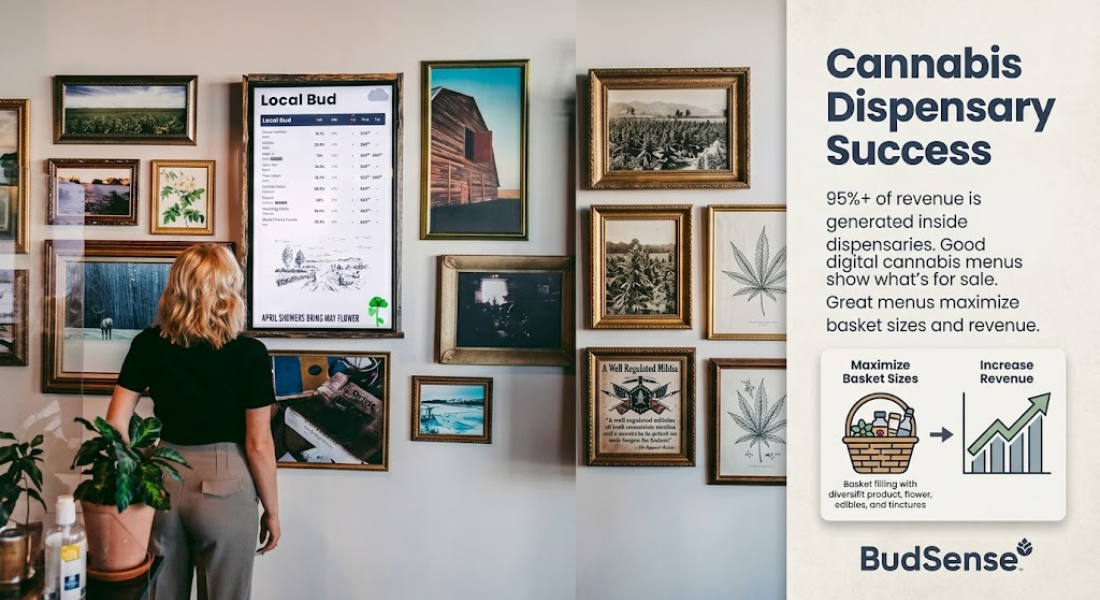
Any given day at your cannabis retail storefront is filled with movement. Fresh cannabis products arrive at your back door while high-selling strains are quickly snapped up by eager customers. Inventory counts change several times a day. Cannabis retailers have to stay on top of what’s available if they hope to keep things flowing smoothly on a day-to-day basis. That’s why many operators utilize software tools that monitor dispensary menu changes in real-time by syncing brick and mortar point-of-sale hardware with customer-facing digital display screens, such as Digital Cannabis Dispensary Menus.
Out-of-date physical menus are confusing. Walking into a store should mean knowing exactly what you will and will not find in stock. Automated systems keep your operations error-free and your product listings fully-synced.
The Pain Points of Editing Boards By Hand
Printouts. Paper menus. Chalkboards scribbled by hand. These methods worked for dispensaries in the past, but quickly become cumbersome as your business grows. Not only do physical updates take too long to keep up with your store’s fast-selling products, but they also eat away at your employee hours.
Consider this scenario: it’s Friday afternoon. One of your store’s popular menu items is sold out within minutes. Now your team must return to the office, boot up a spreadsheet, edit the product’s availability, print a new sign, and walk back out to the sales floor to manually switch out the old menu board. All of this takes hours of your employees’ time that could be spent helping customers.
Not only does this create slowdowns for your business, but it also leaves your customers disappointed when signage doesn’t match what’s actually in-stock. Once a customer picks an item off the menu board and heads to the register only to be told it sold out weeks ago, they’ll leave unsatisfied. Avoid these pain points by putting processes like these into automated menu tracking software.
Automate Updates To Your Digital Menu Boards
Software automation allows you to sync your dispensary’s daily menu boards directly to your inventory management software. With live linkage, boards no longer require human editing.
-
Products are automatically sold out: As soon as something sells out or a batch quantity reaches zero, it’s immediately removed from your menu board.
-
Price changes are pushed live instantly: Whether you’re doing daily happy hours, specials, or across-the-board price adjustments, prices are updated across all screens simultaneously.
-
Employees have more time to serve customers: Say goodbye to employees spending their day making copies of spreadsheets. Your staff will have more time than ever to assist customers.
Dispensary Menu Tracking FAQs & Concerns
Do cannabis dispensary menus change everyday?
Yes. Inventory turns over quickly. New products are shipped and stocked every day. Pricing is constantly being adjusted based on margins, happy hours, and daily specials.
How can I keep track of dispensary menu changes?
Monitor your inventory levels by tracking sales of products that fly off the shelves versus products that aren’t selling. Automated cannabis menu change alerts keep you informed of what’s selling and what isn’t – all from your operations dashboard. By having a better understanding of what products stay versus what don’t, you’ll be able to ensure the sales floor matches your back-end inventory counts.
Why do cannabis customers need help determining strength?
Many occasional consumers or new patients often struggle to understand cannabis’ potency system. Will this product be too strong for me? What if I want to buy something weaker? These are valid questions being asked in your store.
Instead of making your customers guess or requiring your staff to hunt down that information, display boards should clearly communicate your product’s strength. Build out descriptive menus with data breakdowns, use strong section dividers, and incorporate educational badges so customers can easily understand your products’ potency – all at their own browsing speed. Knowledgeable and empowered customers equal less folks crowding your checkout line.
I Want My Display Screens to ‘Feel’ Like My Store
Display screens are your digital billboard. While many software programs come equipped with default templates, you can build your brand by customizing colors, curating high-resolution images, and featuring specific cultivators, seasonal sales, or employee recommendations. Think of menu boards as an extension of your store decor. When designed correctly, they set the mood and atmosphere for buyers when they walk through your doors.
Conclusion
Automating your screen displays liberates the day-to-day tasks that slow down your operations and sales. Not only will prices be accurate, but you’ll ensure customers are receiving the best in-store shopping experience possible. Learn how easy it can be to transform your store’s appearance and streamline common operations by visiting BudSense online at BudSense.
Frequently Asked Questions
1. How do dispensaries connect their display boards to existing inventory?
Digital cannabis dispensary menu boards connect to your store’s point-of-sale (POS) system. Anytime a product is created, edited, or sold out in your backend software, your display boards will automatically update to reflect those changes – instantly.
2. Can I set schedules for happy hours or specific menu times?
Yes! The best digital menu software comes equipped with auto-scheduling functions. This means you can schedule specific menus, banners, or prices to show up (and disappear) during certain times of the day.
3. What type of hardware is needed to operate digital menu boards?
Computer programming or expensive hardware modules aren’t required to operate most digital menu software. Devices are typically compatible with commercial TVs and ultra-light streaming tablets, allowing you to keep initial hardware costs low.
4. Can I manage multiple store locations from one platform?
Absolutely. Whether you operate one store or 100, central management is made simple with software that allows you to control, edit, and push custom or broad-menu layouts to multiple store locations at once via a remote dashboard.

 Arabic
 French
 Spanish
 Portuguese
 Deutsch
 Turkish
 Dutch
Dutch
 Italiano
 Russian
 Romaian
 Portuguese (Brazil)
 Greek
Greek